You spent six hours on a blog post. You researched it, wrote it, edited it and published it. A few hundred people read it. Then it quietly sank down your blog, and next week you start again.
Meanwhile, the same ideas could have lived a second life as a 60-second video on LinkedIn, YouTube Shorts or your website, reaching people who would never open a long article.
The problem is time. Making a video usually means a script, footage, a voiceover, captions and editing. That is why most businesses never do it. Pictory is one of the AI tools that tries to remove that work: you give it a blog post, and it gives you a video draft. This guide shows how it works, a five-step method to make the result good, prompts you can copy, and an honest look at where it falls short.
Last updated: October 2026. Features and prices change, so check Pictory's own pages before you buy.
Why turn blog posts into videos at all?
- You already did the hard part. The research and the message exist. Repurposing is cheaper than starting from zero.
- Different people prefer different formats. Some readers will never open an article but will watch a short video.
- One post becomes many pieces. A single article can give you a short video, a LinkedIn post, a few quotes and an email.
- Videos can send people back to your site. A call to action at the end points viewers to the full article.
What Pictory actually does
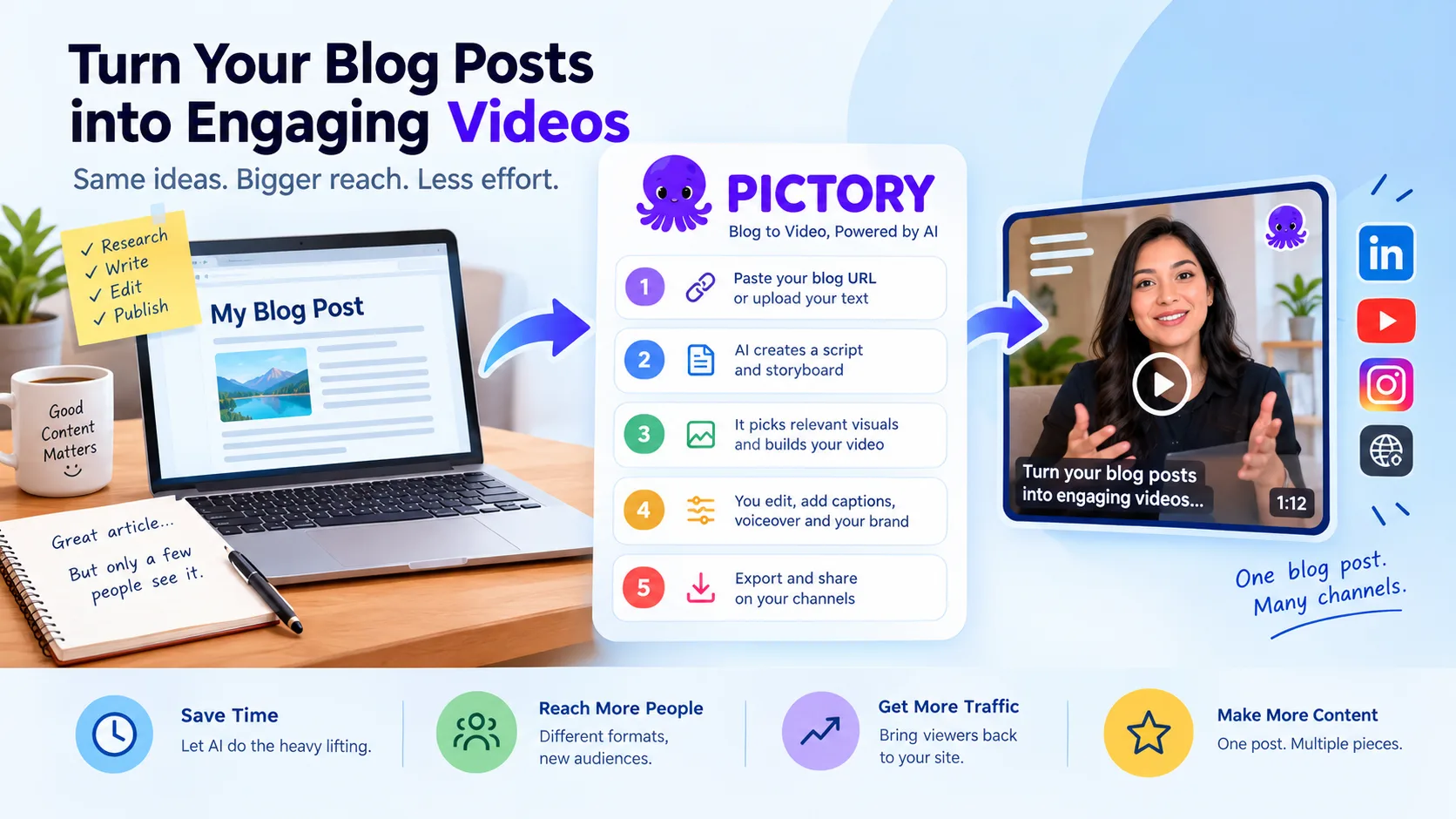
Pictory is an online tool that turns text into video. According to its own page, the blog-to-video flow works like this:
- Paste your blog URL or upload your text.
- AI summarises the article into an editable video script.
- It picks stock footage and images that match your text and builds a scene-by-scene storyboard.
- You edit the visuals, captions and voiceover.
- You export the video in sizes suited to YouTube, LinkedIn and other social platforms.
Extras mentioned on the page include Brand Kits (your fonts, colours and logo), templates, AI voices in several languages, captions and calls to action. Pictory has also been adding generative features during 2026, such as AI avatars and its own AI studio, as covered by Blockchain.News. Treat that as a news report and check the details on Pictory's site.
The honest part: what to expect
Independent testers are positive but realistic. A review on Unite.AI found that Pictory can turn scripts and blogs into shareable videos within minutes and is easy to use, but also noted that:
- Stock footage can miss the point, especially for technical topics.
- Videos can feel generic and need real editing.
- AI voices can sound robotic.
- Plans limit your video minutes.
- A request for a one-minute video came back longer than asked (about two minutes in the reviewer's test).
So the realistic promise is a fast first draft, not a finished video. You still need to be the editor.
The 5-step method: from blog post to video
Step 1: Pick the right post
Not every article works as a video. Choose posts that have:
- one clear idea, not ten
- a list, a process or a before-and-after (easy to show in scenes)
- something people ask you about often
A "how to do X in 5 steps" article is ideal. A long opinion essay usually is not.
Step 2: Tighten the script before you generate anything
AI summaries copy your article's structure, but a good video is shaped differently. Aim for 60 to 90 seconds, which is roughly 150 to 200 spoken words. Start with a hook that answers "why should I keep watching?" in the first few seconds, and end with one call to action.
Step 3: Generate the draft, then fix the visuals
Paste the URL or script into Pictory and let it build the storyboard. Then go through every scene and check that the footage matches the words. Replace anything generic, irrelevant or odd. Use your own screenshots, product shots or photos wherever you can, because real visuals beat stock clips.
Step 4: Add captions, your brand and a human-sounding voice
Many people watch videos with the sound off, so captions matter. Apply your Brand Kit for consistent fonts and colours. Listen to the AI voice from start to finish, and if it sounds stiff, try another voice, shorten the sentences, or record your own voice.
Step 5: Export for each platform and link back
Export in the right shape for where it will live. Add a link to the full article in the post, the description or the first comment. Then track which video brings visitors, so you learn what to make next.
Prompts you can copy and paste
Use these in Pictory's script step or in any AI chat tool. Change the details to match your article.
To turn the article into a short script:
Turn this blog post into a 75-second video script for [audience]. Start with a one-sentence hook, give the 3 most useful points in simple language, and end with one call to action to read the full article. Use short sentences. No jargon.To write stronger openings:
Give me 5 different opening lines (under 12 words each) for a video based on this script. One should ask a question, one should state a surprising fact from the article, and one should name the viewer's problem.To plan the visuals:
For each scene of this script, suggest what should be shown on screen: a screenshot, a simple graphic, a photo of a real person at work, or on-screen text. Avoid generic stock footage.To write the post that goes with the video:
Write a LinkedIn post of about 100 words to go with this video. Start with the problem, give one practical tip, and end by inviting people to read the full article. Add 3 relevant hashtags.Where a human must stay in charge
- Facts. AI summaries can drop context or get a number wrong. Check every claim against your article.
- Tone and promises. Do not let the script claim results you cannot prove.
- Visual rights. Read the licence terms for stock footage, music and AI-generated images before using them commercially.
- Disclosure. If you use an AI voice or AI avatar, consider saying so. Some platforms ask you to label synthetic content.
- Sensitive topics. For legal, medical or financial content, have a qualified person review the video.
A good rule: let AI draft, and let people decide.
What does it cost?
Pictory's pricing page lists four plans: Starter, Professional, Team and Enterprise. In early October 2026 it showed Starter from about $29 a month (about $25 a month on annual billing) and Professional from about $59 a month (about $35 on annual billing). Plans differ in video minutes, storage, Brand Kits and AI credits, and there is a 14-day free trial. Prices are in US dollars and can change, so confirm on the site. Also check whether the trial adds a watermark.
Is it worth it for your business?
It is worth trying if you already publish written content, have no video editor, and want a consistent flow of short videos. It is less useful if you need highly original, polished brand films, because stock-based videos can look similar to what everyone else makes.
Run a simple test: turn one good blog post into a video, post it, and compare the views and clicks with a normal text post.
Build your own content pipeline
If you publish often, the manual steps (copy the URL, generate, review, export, post) can be partly automated: a new article is published, a script is drafted, a video draft is prepared, and a person approves it before anything goes live. SimpleApp builds this kind of workflow automation and AI-powered applications, always with a human approval step.
Want to see what could be automated in your content process? Tell us about it and we will give you an honest view, including when a ready-made tool like Pictory is the better choice.
SimpleApp is not affiliated with Pictory and earns nothing from links to it. Product names belong to their owners.
More guides like this: Miro AI: turn a messy brainstorm into a clear plan and our weekly AI news roundup.