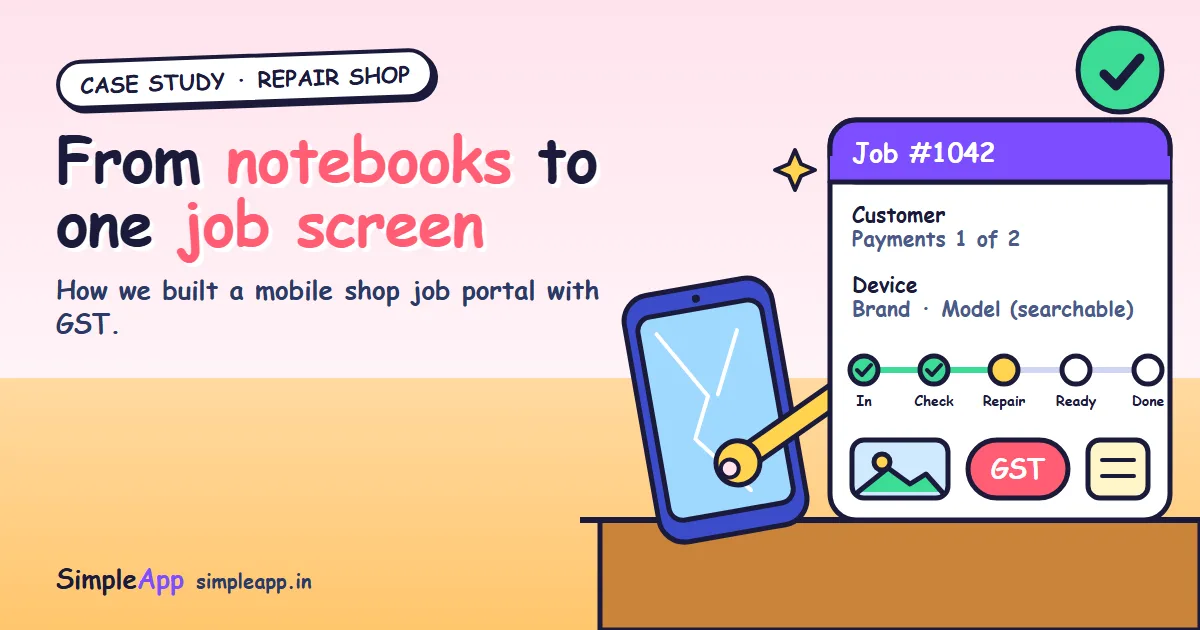
If you run a mobile repair shop, you already know the problem. A customer walks in with a cracked phone, you write the details in a notebook, take a deposit, and promise it by Thursday. By Wednesday, three more jobs have arrived, two customers are asking about status on chat, and nobody remembers who paid what.
This is the story of the Mobile Shop Job Portal, a web application we built to replace that pile of notebooks and messages, and a practical guide to what any repair shop should ask of its software. You can also see the project on our portfolio page.
Everything about the portal below comes from our own project notes and portfolio. We name no client and quote no savings figures, because we do not have audited numbers to share. GST points are general information, not tax advice; please confirm your invoicing rules with your accountant.
The short version
- The problem: repair jobs, customer details and payments lived in notebooks and chat messages. Checking one phone's status or one customer's balance was slow, and the records needed for GST had to be rebuilt by hand.
- The solution: one responsive web portal where staff create a job, pick the device from searchable lists, attach photos and files, record payments and handle GST, all on one job screen.
- The memory: every job is tied to a customer and a device, so the shop sees a customer's payment history and a device's earlier repairs when it comes back.
- The reach: it works on the counter computer and on a phone, built with Next.js, PostgreSQL and Auth.js.
The problem: a repair shop runs on small jobs
A repair shop does not have a few big projects. It has many small jobs at the same time, and each one carries a device, a customer, a fault, a price and a payment. That is a lot of loose details to keep in a notebook.
When the details are scattered, simple questions become slow:
- "What is the status of my phone?" means flipping through pages or scrolling a chat.
- "How much have I already paid?" means finding the right entry and adding it up.
- "Did this phone come in before?" means hoping someone remembers.
- At the end of the month, the records needed for GST have to be rebuilt by hand from scraps.
None of this is anyone's fault. Notebooks and chats are easy to start. They just stop scaling the day the shop gets busy.
What we built
The portal is a responsive web application. Staff sign in, and the daily flow is short.
- Choose the customer. Find an existing customer or add a new one.
- Pick the device. Choose the device type, brand and model from ready-made master lists with search, instead of typing it differently every time.
- Describe the problem. Note the fault and add photos, for example of the damage when the phone arrives.
- Track and finish. The same job screen shows the status, the payments and the files, so nobody has to ask around.
- Record payments and GST. Payments and GST are handled inside the workflow, not rebuilt at month end.
Why these details matter
| Design choice | The reason |
|---|---|
| Searchable device type, brand and model lists | Faster entry, and the same model is always spelled the same way, so history can be found later |
| Photos and files on every job | Proof of the phone's condition at intake, and everything stays with the job |
| One job screen for status, payments and files | No more asking around or searching chats |
| Job tied to a customer and a device | A customer's payment history and a device's earlier repairs are visible when it returns |
| GST inside the workflow | The records are produced as the work happens, not rebuilt by hand |
| Responsive layout | Works on the counter computer and on a phone |
The result, in plain words
We want to be careful here, because a case study should not promise what it cannot prove. What the portal gives the shop is:
- Repair jobs created and tracked from one screen.
- Customer accounts and payment history kept together.
- GST handled inside the workflow.
- Searchable device type, brand and model lists.
- Photos and files attached to each job.
- Job status and payments found on one screen instead of searching notebooks and chats.
- Earlier repairs of a device visible when it returns to the shop.
- It works on a desktop at the counter and on a phone.
We have not measured hours saved or revenue gained, so we do not claim any. The honest summary is that the shop can answer everyday questions in seconds instead of minutes of searching.
Under the hood
The portal is built with Next.js, PostgreSQL and Auth.js, with file uploads for the photos and files, and GST-ready billing. It was built with Claude as an AI-assisted tool, with human design, review and testing.
Why this matters to a shop owner:
- Your data lives in a real database, not in a spreadsheet someone might overwrite.
- Staff sign in, with roles, so not everyone sees or changes everything.
- It is a normal web application, so it opens in any modern browser with nothing to install.
- You own the code. On our projects the client owns all source code, so you are never locked in.
What to ask of any repair shop software
Whether you build custom software or buy a ready-made product, use these questions.
- Can I create a job quickly at the counter? If it takes more than a minute, staff will go back to the notebook.
- Does it remember devices and customers? Repair history is where repeat business and faster diagnosis come from.
- Can I attach photos to each job? Intake photos protect you in disputes about the phone's condition.
- Are payments and GST in the same place as the job? Separate tools mean double entry.
- Can I see status and balance at a glance? This is the question customers ask most.
- Does it work on a phone? Owners are often away from the counter.
- Who owns the data and the code? You should be able to export your data and not be trapped.
- Can it match my job stages and invoice format? Every shop works a little differently.
Custom or ready-made?
Ready-made software is quicker to start and cheaper at first. Custom software costs more up front but fits your job stages, invoice format and reports, and you own the code and data. Our service page on repair shop and retail management software explains this in more detail.
It is also not only for mobile shops. The same approach applies to computer, appliance and other service or repair businesses.
A checklist for repair shop owners
- List every place where job, customer and payment information lives today.
- Write down the three questions customers ask you most often.
- Decide your job stages, from intake to handover.
- Collect your device types, brands and models for a master list.
- Ask your accountant what your invoices and GST records must contain.
- Decide who on your staff needs to see or change what.
- Choose a first small step, such as jobs and payments only, then add more.
How SimpleApp can help
We build custom software for repair shops and other service businesses. We start with a review of your shop's workflow, build the job, customer and billing portal, load the master data for your devices, and provide training and support. You own all the source code, an NDA is available on request, and we reply within one business day.
See our repair shop management software service, the Mobile Shop Job Portal project, or ask for a free, no-obligation quote.