A question is changing how business software gets bought: "Can we see what the system did, and who approved it?" It used to come from regulated industries. Now it comes from ordinary buyers, especially when an AI agent is involved. If your software cannot answer it, larger deals can stall.
This guide explains what audit-ready software means in practice, with a checklist you can put into your next project brief.
Last updated: 21 October 2026. The market commentary below comes from trend articles and a competitor analysis, not from official standards. Regulation details vary by country and industry, so check with a qualified adviser. This is not legal advice.
The short version
- Buyers want proof of control. One October 2026 SaaS trends piece says buyers want bounded tasks, approval rules, action logs and clean handoffs to humans, and warns that if a customer cannot review an agent's actions, larger deals will stall.
- Vendors are already changing their words. An analysis of 31 B2B SaaS companies, dated 14 October 2026, calls guardrail framing the fastest-moving repositioning pattern. It gives examples such as "books meetings inside your guardrails" replacing an autonomy claim, and it warns that guardrail language without something verifiable just reads as reassurance.
- Rules add pressure. A 2026 trends article notes that regulations such as NIS-2 and the EU AI Act call for robust security measures around online shops, data processing and AI systems.
- The fix is design, not wording. Roles, approvals, activity logs and human handoffs have to exist in the product before you can honestly describe them.
What "audit-ready" means
An audit-ready system can answer five plain questions, quickly, without anyone digging through chat messages:
- Who did this, or which system did?
- What exactly changed?
- When did it happen?
- Who approved it, if approval was needed?
- What happened when something went wrong or was unclear?
If your software can answer those from a screen, you are most of the way there.
The six building blocks
1. Roles and permissions
People should see and change only what their job needs. A manager, an operator and an outside partner should not have the same view.
Real examples from our own projects: in our container shipping tracking platform, transporters sign in and see only the jobs assigned to them, while administrators manage users, roles and master data. In Site360, teams work with role-based access, and each brand or client works in its own workspace so one tenant's data stays separate from another's.
2. Approvals
Some actions should wait for a person: sending money, deleting records, publishing content, changing a price, giving someone higher access. Decide which actions need approval, who can approve and what happens while waiting.
3. An activity log
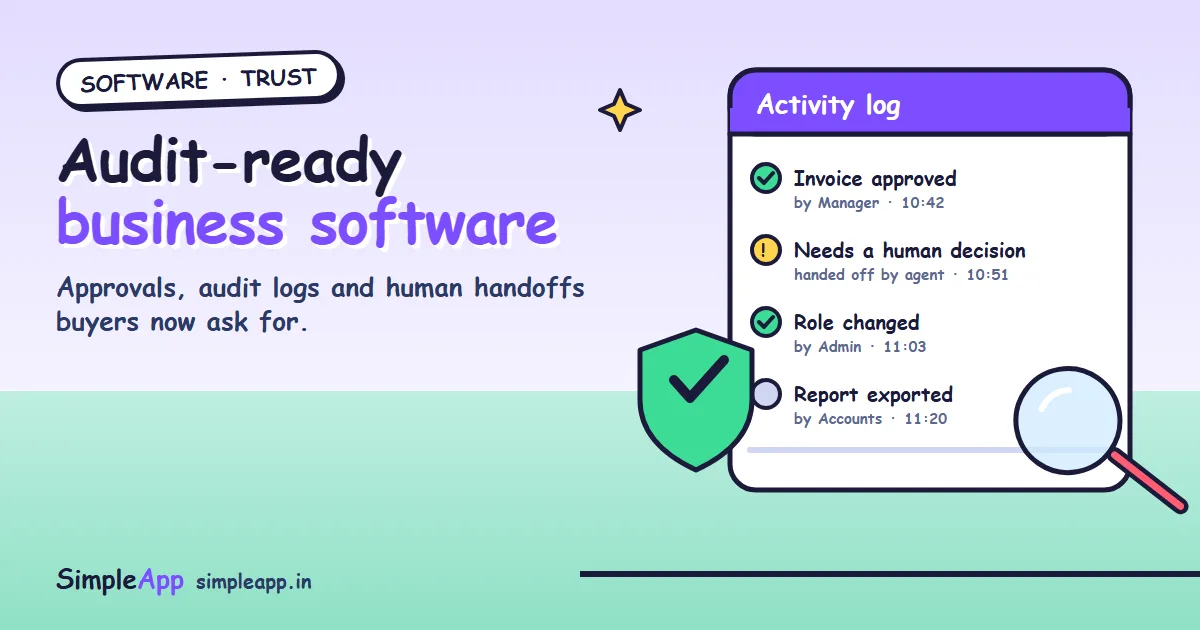
A good log records who did what and when, in language a manager can read. It should be hard to edit and easy to search. Site360, for example, keeps an activity log so teams can see who changed a product and when, and its version history shows what changed.
4. Human handoff
When the system is unsure, it should pass the case to a person with the context, not guess. This matters most for AI agents. The trends piece above describes buyers expecting agents to complete bounded tasks, log actions, and hand unclear cases to a human.
5. Review before anything goes public
Anything an AI drafts, such as product descriptions, replies or reports, should be read and approved by a person before it goes live. In Site360's AI studio, the AI only writes drafts, and a person always reads, edits and approves the text before it is published.
6. Checks before a process moves on
Where a step depends on paperwork, the system can check the documents are in place before allowing the next stage. In our shipping tracker, each stage is gated on the required documents, so a shipment cannot move forward with something missing.
What it looks like for AI agents
If you add an AI agent to a business process, treat it like a new employee on probation.
| Question | A good answer |
|---|---|
| What is it allowed to do? | A short, written list of bounded tasks |
| What needs a human first? | Defined approval rules, for example payments or deletions |
| What did it do? | An activity log a manager can open |
| What if it is unsure? | It hands the case to a person with the context |
| Can we switch it off? | Yes, quickly, and without losing data |
Our guide on choosing an AI agent architecture covers how to build such agents, and our briefing on AI coding tools covers the security side of the tools your developers use.
Do not just say it, show it
The competitor analysis makes a point worth copying: guardrail language alone reads as reassurance. Buyers believe what they can see. So:
- Show a screenshot of the activity log on your website or in your proposal.
- Describe specific rules, such as "payments over a set amount need a second approver", rather than "secure and compliant".
- Offer a short demo where the client watches an action appear in the log.
- Be honest about what is not covered. Overclaiming costs more trust than it wins.
What it means for your IT company
- Add audit-ready features to your standard offer. Roles, approvals and an activity log are quick to build early and painful to add late.
- Ask clients the five questions at the start. Who, what, when, who approved, what if wrong.
- Treat AI features as supervised work. Define bounded tasks, approvals and a handoff before you build.
- Plan data retention. Decide how long logs are kept, who can read them, and how they are protected. Check requirements with the client's adviser.
- Show proof in your sales material. Real screens and real rules beat adjectives.
- Keep human review in your own process. It is the same principle, applied to your team.
A checklist for your next project brief
- List the roles, and what each role may see and change.
- List the actions that need approval, and who approves.
- Define the activity log: what is recorded, who can read it, how long it is kept.
- For any AI feature, write down the bounded tasks and the handoff rule.
- Decide which AI output must be reviewed by a person before it is published.
- List the documents or checks required before each process stage can move on.
- Decide how the client can export records when an auditor or customer asks.
- Agree what happens when something goes wrong: who is told, and how it is fixed.
How SimpleApp can help
We build custom software with roles, approvals, activity logs and human review designed in from the start, and our clients own all the source code. See our custom software development, AI-powered applications and business automation services, or ask for a free quote.